Blog

  • Advanced Android Automation: Building Scalable Testing Solutions

    Advanced Android Automation: Building Scalable Testing Solutions

    Developers, testers or QA teams are all aware that most of the bugs originate during development, ultimately making automation testing very crucial for early bug detection. Android automation testing is reliable, more efficient and requires no room for hardware setup, while manual testing requires significant time and resources. Automated testing provides a more efficient solution, with companies reporting clear returns on their test automation investments within just six months.

    Whether you’re running tests on an Android emulator for Mac or real devices, automation frameworks carry out repetitive tasks and reduce testing time. As testing is a vital part of app development, automated testing tools perform tests faster and more consistently than manual methods. Identifying issues during the development cycle lowers the cost and effort of fixing bugs later.

    Key components of Android test automation

    Automated Android testing utilizes both instrumented tests that run on Android devices and also local tests that execute on development machines. Instrumented tests verify app functionality in real device environments, whereas local tests isolate code components for faster verification. Android testing architecture consists of several essential components that work together to verify your app’s functionality:

    • Testing frameworks – Tools like LambdaTest, Espresso, UI Automator, and Appium provide APIs for simulating user interactions and verifying app responses
    • Test runners – Execute test cases and collect results
    • Mocking libraries – Create test doubles to isolate code for unit testing
    • Dependency injection – Recommended approach to replace dependencies for testing

    Essentially, automated Android testing works as both instruments that run on Android devices and local tests that execute on development machines. Instrumented tests verify app functionality in real device environments, whereas local tests isolate code components for faster verification.

    LambdaTest is a reliable AI-native test execution platform for Android automation, offering a vast real device cloud to test apps across multiple Android versions and devices. It supports popular automation frameworks like Appium and Espresso, enabling seamless integration with CI/CD pipelines. 

    With AI-powered debugging, real-time logs, and video recordings, identifying and fixing issues becomes easier. Its parallel testing capability speeds up execution, reducing test cycles. LambdaTest also ensures comprehensive geolocation testing, allowing validation of app behavior across different regions. Plus, its scalable infrastructure eliminates the need for maintaining in-house device labs, saving time and costs.

    Differences between UI and functional testing

    UI testing and functional testing serve distinct purposes within your testing strategy. UI testing specifically examines the interface elements—buttons, fields, and labels—ensuring they operate according to specifications. For Android applications, this typically involves validating screen layouts, user interactions, and visual feedback.

    Functional testing, conversely, verifies that the app’s core functions work as intended according to requirements. This testing type focuses on the underlying behavior rather than appearance.

    The relationship becomes clear when considering practical examples: UI tests might verify that a login button appears correctly and responds to touches, whereas functional tests would confirm that the authentication process works correctly when credentials are submitted. Furthermore, UI tests often encompass functional testing since user interface elements trigger functional components.

    Setting up an Android emulator on Mac for testing

    The Android Emulator offers substantial advantages for testing, including flexibility across device types, high fidelity with real device behavior, and faster testing cycles compared to physical devices. To configure an Android emulator on Mac:

    1. Install Android Studio from the official developer website
    2. Open the AVD (Android Virtual Device) Manager within Android Studio
    3. Create a new virtual device by selecting a device definition
    4. Choose an appropriate system image (Android version)
    5. Configure hardware specifications based on your Mac’s capabilities

    Initially, the emulator may take longer to launch, but subsequent launches use snapshots for faster loading. For optimal performance, your Mac should have at least 16 GB RAM, macOS 12 or higher and 16 GB available disk space.

    Choosing the right testing approach for your app

    A well-structured testing strategy includes tests at multiple levels. Notably, an architecture that isn’t testable typically leads to slower, more flaky tests and fewer opportunities to test different scenarios thoroughly. Consequently, implementing a testable architecture through decoupling components creates more effective, maintainable test suites. 

    Selecting an appropriate testing approach requires understanding the testing pyramid concept. Traditionally, this pyramid categorizes tests into three levels:

    • Unit tests (small tests) – Verify isolated code components without Android dependencies
    • Integration tests (medium tests) – Check interactions between modules
    • End-to-end tests (big tests) – Validate complete user flows and app functionality

    Consider the lowest test layer that provides adequate feedback when determining which approach fits your needs. Unit tests run quickly but don’t support real device behavior, whereas end-to-end tests offer higher fidelity but run more slowly. Your testing approach should catch issues early, execute quickly, and clearly indicate what needs fixing.

    Creating reusable test components

    Reusable test components form the backbone of efficient Android automation test frameworks. These test components are specific automated test scripts designed to be particular enough for use across multiple testing scenarios, which includes different applications or various parts of the same application. 

    By structuring reusable components properly, you reduce the time spent writing and maintaining scripts while ensuring consistency across tests. Moreover, when common functions change, only the reusable components need updating rather than every test script where the function appears.

    Implementing the Page Object Model for Android

    The Page Object Model (POM) has emerged as a powerful design pattern in Android test automation that enhances test maintenance and reduces code duplication. POM originated in web testing but has proven equally effective for mobile applications.

    At its core, POM separates test code from page-specific code such as locators. Each page object encapsulates all information about UI elements, including their locators and methods for interacting with these elements. When implementing POM for Android, follow these guidelines:

    • Create separate class files for each screen in your application
    • Encapsulate UI elements and their interactions within these classes
    • Design methods with descriptive names reflecting actions they perform
    • Ensure each method has a single responsibility
    • Make methods generic enough for reuse across different tests

    The primary advantage of this approach is that if the UI changes, only the code within the page object needs modification while test scripts remain untouched. Additionally, POM provides a single repository for services offered by each page rather than scattering these services throughout test files.

    Designing data-driven test scenarios

    Data-driven testing (DDT) represents a strategic approach where test scripts execute repeatedly using data sets from external sources. This method is particularly valuable for Android testing scenarios involving multiple data permutations. To implement data-driven testing effectively, start by creating a data repository separated from your test scripts. 

    The separation of scripts and data enhances maintainability, simplicity, and understandability for future use. For Android applications, data-driven testing proves especially useful in scenarios like:

    • Testing registration forms with various input combinations
    • Validating travel/flight booking systems with multiple user profiles
    • Performing load and performance testing for e-commerce applications

    Managing device fragmentation challenges

    For Android automation testing to be effective, you must prioritize devices based on your target audience and market share. Otherwise, testing can become overwhelming and impractical given the extensive ecosystem diversity. Device fragmentation has four primary dimensions:

    • Operating System Variability: Multiple Android versions operating simultaneously, with manufacturer customizations adding complexity
    • Hardware Diversity: Various screen sizes, resolutions, memory capacities, and processor types affecting app performance
    • Different User Interfaces: Custom UIs like Samsung’s One UI or Xiaomi’s MIUI create additional testing complexity
    • Global Market Fragmentation: Region-specific features and settings requiring specialized testing approaches

    Testing across multiple Android versions

    When implementing automation tests across Android versions, consider that instrumented tests run on Android devices, alongside a test app that injects commands and reads state. These tests typically engage with UI elements, yet some cases demand version-specific verification.

    For instance, you might need to verify SQLite database integration across multiple Android versions, necessitating smaller instrumented tests rather than comprehensive UI tests. Through this approach, you can efficiently identify compatibility issues before they impact users.

    Optimizing test execution for different screen sizes

    To optimize test execution across screen sizes, implement automated tests that verify both visual attributes and state preservation. This approach helps identify regressions early in development. Specifically, create UI tests to verify layout behaviors or construct screenshot tests to validate visual elements. When testing responsive designs, you should:

    • Verify that your UI maintains consistency across different screen dimensions
    • Confirm proper state restoration after configuration changes
    • Test how your app handles orientation shifts and window resizing

    Parallel test execution strategies

    Parallel testing executes multiple test cases simultaneously across different environments, reducing overall execution time substantially. For instance, when running three parallel tests, execution time can decrease compared to sequential testing.

    Key benefits of parallel execution include:

    • Speed improvements through concurrent test runs
    • Cost efficiency through optimized resource utilization
    • Enhanced CI/CD pipeline performance with shorter feedback cycles

    For Android emulators, you can implement parallel testing by sharding test suites across multiple devices or emulators. This approach proves especially valuable when testing against various API levels, screen sizes, and device configurations.

    Automated test reporting and analytics

    After test execution, comprehensive reporting helps identify issues quickly. CI systems commonly generate detailed reports showing:

    1. Test execution status and pass/fail statistics
    2. Performance metrics and regression indicators
    3. Coverage analysis across features and components

    These reports enable teams to spot patterns in failures, track progress over time, and make data-driven decisions about code quality. Hence, monitoring performance regressions becomes more systematic through techniques like step fitting, which defines a rolling window of previous build results for comparison. Above all, effective CI integration creates a foundation for reliable, consistent android automation testing across your entire development workflow.

    Memory management for large test suites

    Memory issues in Android tests often manifest as degraded performance and unexpected crashes. The Android Runtime (ART) handles memory through garbage collection, but improper memory management can trigger excessive collection events, draining battery life and impacting performance. To identify memory problems:

    • Use Memory Profiler to track object allocations on the heap
    • Look for increasing object counts leading to garbage collection events
    • Analyze allocation hotspots by selecting timeline ranges to visualize both allocations and shallow size

    In practice, reducing memory increases the  rapid allocation and deallocation of temporary objects, significantly improving performance. Despite modern improvements in garbage collection, allocating numerous objects within inner loops can still degrade test execution.

    Conclusion

    Android automation testing stands as a cornerstone of reliable app development, offering significant returns through early bug detection and efficient testing processes. Throughout this comprehensive guide, you learned essential strategies for building scalable testing solutions that ensure consistent app quality across diverse Android environments.

    The journey started with automation fundamentals, progressed through modular framework development, and advanced performance optimization techniques. Most notably, parallel testing can reduce execution time, while proper memory management and flaky test handling significantly improve test reliability.

    Remember that successful Android automation testing requires continuous refinement. Start with basic test automation, gradually expand your test coverage, and consistently optimize your testing framework based on your app’s specific needs and user base.

  • Comprehensive Responsive Testing: Building Enterprise-Grade Cross-Device Validation Frameworks

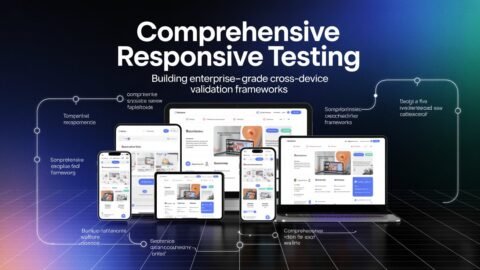
    Comprehensive Responsive Testing: Building Enterprise-Grade Cross-Device Validation Frameworks

    The swift expansion of gadgets browsers and screen sizes has made it extremely difficult for businesses to guarantee a consistent user experience across all platforms. Whether a user uses a desktop computer tablet or mobile device they expect consistent and easy-to-use interactions. Inadequate responsiveness may result in reduced engagement high bounce rates and even lost revenue. Organizations require a scalable and organized approach to responsive testing to overcome these obstacles. 

    A strong responsive checker framework guarantees that accessibility functionality and performance are maximized in a variety of settings in addition to assisting in the detection of layout irregularities. By averting usability problems that might have a detrimental effect on business results it also assists in preserving customer trust and brand consistency. Businesses can expedite cross-device validation and improve the general caliber of their digital products by utilizing cloud-based tools and automated testing techniques. 

    Faster iterations and greater adaptability to changing user expectations are made possible by continuous monitoring of real-time defect identification and AI-driven visual testing which further reinforce the testing process. By examining best practices and tactics for creating an enterprise-grade framework for cross-device validation this blog makes sure that web applications continue to be effective flexible and easy to use on all platforms.

    The Need for a Responsive Checker in Enterprise Testing

    With increasing digital interactions, businesses need to ensure that their web applications function properly, are visually consistent, and perform well on a vast array of devices and screen resolutions. A responsive checker is key to this by detecting and fixing layout changes, performance issues, and usability problems before they affect end users.

    With an increasingly large ecosystem of browsers, operating systems, and devices, businesses struggle to keep a consistent experience across platforms. Manual testing methods traditionally used are inefficient and do not offer the scalability required for contemporary applications. Automated responsive testing frameworks not only simplify validation but also support DevOps pipelines to allow continuous testing and monitoring.

    Web apps that use a responsive checker are guaranteed to work flawlessly on a variety of screens devices and resolutions. 

    Scalable solutions that are necessary for enterprises: 

    • Automate testing for different device configurations. 
    • Make sure that the user experience is consistent across all platforms. 
    • Early on in the development cycle find problems with layout functionality and performance. 
    • Reduce manual testing efforts while increasing test coverage.

    Key Components of a Cross-Device Validation Framework

    The process of constructing an effective cross-device validation framework entails strategic planning, automated testing solutions, and field-based testing practices. A systematic framework helps keep web applications working, performing well, and remaining accessible across many devices and scenarios. 

    The critical elements of a successful framework include:

    Comprehensive Device & Browser Coverage Strategy

    Businesses looking to provide a smooth user experience across a variety of platforms must have a strong device and browser coverage strategy. Data-supported insights on user demographics market trends and actual device usage should serve as the foundation for this approach. To guarantee backward compatibility businesses must carefully choose a range of hardware and browsers that represent their target market taking into account both the newest and legacy versions. 

    Automated Responsive Testing

    Modern web development requires automated responsive testing which enables businesses to effectively verify user interface adaptability across a variety of devices. Automation is essential for expediting the testing process guaranteeing consistency and lowering operational overhead because manual testing is laborious and prone to human error. 

    Organizations can automate user interface validation carry out AI-driven visual comparisons and carry out visual regression testing across various screen sizes by utilizing tools such as Selenium WebDriver and Cypress. Rapid feedback loops in CI/CD pipelines are made possible by automated testing which aids developers in spotting functional flaws and layout irregularities early in the development cycle. 

    Dynamic Viewport & Breakpoint Testing

    Viewport and breakpoint testing must be done thoroughly to guarantee a consistent user experience across various devices. Because web apps must dynamically adjust to different screen sizes responsiveness across a range of resolutions must be verified. With the help of tools like Playwright Puppeteer and Selenium teams can effectively simulate different screen sizes through automated viewport resizing. 

    Predefined breakpoints like 320 pixels for mobile devices 768 pixels for tablets and 1024 pixels or more for desktops aid in organizing layouts that accommodate various device types. CSS media query testing tools make sure that responsive design guidelines are followed and identify any discrepancies that might affect usability. 

    Testing of networks and performance 

    To guarantee that web applications operate at their best under a variety of network conditions and device capabilities network and performance testing are essential elements of responsive testing. A responsive app should function well with a range of bandwidths latency levels and processing power limitations in addition to looking good on various screen sizes. Performance bottlenecks are identified through the analysis of load times stability and interactivity using tools like Lighthouse and WebPageTest. 

    Cross-Platform Accessibility Testing

    Guaranteeing accessibility on various platforms is a basic tenet of responsive testing, enabling organizations to offer an all-encompassing digital experience for everyone, including people with disabilities. Compliance with WCAG 2.1 standards guarantees adherence to legal and ethical obligations as well as improving usability. 

    Automated tools such as Axe DevTools, WAVE, and Google Lighthouse enable accessibility auditing by detecting contrast problems, absent alt text, incorrect heading structures, and ARIA implementation holes. Manual testing methods, including keyboard navigation testing and screen reader compatibility testing (with JAWS, NVDA, and VoiceOver), aid in confirming usability for visually impaired users. 

    Real Device Testing vs. Emulators & Simulators

    Real device testing and virtualized testing techniques like emulators and simulators must be balanced to guarantee a flawless user experience across all devices. Although they offer a scalable and affordable way to test during the early phases of development emulators and simulators are unable to faithfully mimic real-world circumstances. Real device testing however is necessary to verify how applications behave in real-world user situations such as those involving changes in network conditions battery life touch interactions and hardware-specific dependencies.

    Implementing a Scalable Responsive Checker Framework

    An efficient responsive checker framework is a prerequisite for businesses looking to provide an uninterrupted user experience on a variety of devices and screen sizes. A strategic deployment of such a framework involves a combination of automation, cloud-based testing environments, and AI-powered validation methods. The aim is to create a scalable and effective system that can detect and correct UI inconsistencies, performance bugs, and accessibility holes in real time.

    Step 1: Establish Workflows for Testing: 

    The first step for businesses should be to clearly define testing procedures that complement their development and deployment cycles. 

    Important things to think about are: 

    • Continuous responsive testing can be made possible by integrating CI/CD pipelines. 
    • Establishing acceptable standards for various browsers’ screen sizes and devices. 
    • Creating reporting systems that offer trend analysis and actionable insights on discrepancies found.

    Step 2: Choose the Proper Platforms and Tools: 

    Scalable responsive validation requires the proper tool selection. Businesses ought to make use of: 

    • Cloud-based testing tools for large-scale real-device testing such as LambdaTest. 
    • Headless browsers to expedite automated test case execution. 
    • Applitools Eyes and Percy are two AI-powered visual regression testing tools that efficiently identify UI inconsistencies.

    Step 3: Ongoing Observation and Improvement: 

    Continuous monitoring and optimization techniques such as the following must be integrated by enterprises to maintain a high-quality responsive experience. 

    • Unexpected layout changes and visual irregularities can be detected with automated user interface alerts. 
    • Routine audits to verify adherence to mobile-first indexing and performance standards using tools such as Lighthouse and Google’s Mobile-Friendly Test
    • Performance enhancements to improve page speed and responsiveness on various devices including adaptive media rendering image compression and lazy loading.

    Why Choose LambdaTest for Mobile-Friendly Testing?

    Testing your website thoroughly on a variety of devices browsers and operating systems is necessary to make sure it is genuinely mobile-friendly. By making mobile-friendly testing easier LambdaTest offers a dependable scalable and AI-native cloud testing platform that enables companies to provide flawless user experiences across all screen sizes. Important Advantages of Mobile-Friendly Testing with LambdaTest. 

    Access 10000+ Real Devices & Browsers: For testing responsiveness UI consistency and functionality across various screen resolutions LambdaTest provides a comprehensive cloud infrastructure with real mobile devices and emulators. Because of this expensive in-house device labs are no longer necessary. 

    Automated Testing By AI: To quickly identify UI inconsistencies and layout changes across devices use AI-driven visual regression testing. It is possible to develop automated test scripts to verify mobile responsiveness at scale using Selenium Appium and other automation frameworks.

    Network throttling and geolocation: Examine your website’s performance in various locations and network scenarios. To guarantee that mobile users always have the best experience possible simulate slow 3G/4G speeds latency and regional browsing experiences. 

    Test in parallel for quicker execution: To cut down on execution time run several mobile-friendly tests simultaneously. You can quickly obtain feedback on mobile responsiveness and scale testing effectively with LambdaTests cloud grid. 

    Smooth Debugging and Cooperation: Take screenshots of the entire page log console errors in real-time and record sessions. Integrations with GitHub Slack and JIRA allow teams to work together easily and quickly to address issues unique to mobile devices.

    Conclusion: 

    Developing an enterprise-grade responsive checker framework is essential to producing high-performance accessible and user-friendly web applications it goes beyond simply guaranteeing visual consistency across devices. Scalable testing methods that can handle an increasing range of screen sizes operating systems and browsers are essential for businesses as digital ecosystems continue to change. 

    Organizations can improve test coverage and accuracy while drastically cutting down on manual labor by utilizing automation to expedite cross-device validation. Selenium WebDriver Applitools Eyes and Percy are examples of automated tools that make it possible to quickly identify performance problems and UI inconsistencies guaranteeing that apps adjust to various environments with ease. 

    Additionally, teams can better detect subtle changes that might affect user experience by incorporating AI-native visual regression testing which aids in maintaining a polished and consistent interface across all platforms. Large-scale validation under real-world conditions is made possible by cloud-based testing solutions that give businesses access to real-device farms. By testing apps across a range of hardware configurations network speeds and user interaction scenarios these platforms assist organizations in reducing the risks associated with fragmented device usage patterns. 

    Word Count: 2005

  • AI in Testing: The Transformation That’s Reshaping QA Teams

    AI in Testing: The Transformation That’s Reshaping QA Teams

    Did you know that 65% of QA teams are already using AI in testing to enhance their automation processes and boost productivity? This growing adoption comes as no surprise, as many teams have reported significant efficiency gains after implementing AI-powered testing solutions.

    It marks a revolutionary step in the software automation testing world, transforming how teams operate by automating repetitive tasks and test creation. AI tools can generate test scripts within minutes, predict defect-prone areas, and leverage self-healing features that automatically adjust and fix issues when applications change.

    LambdaTest is an AI-native test orchestration and execution platform that lets you run manual and automated tests across 5000+ real devices, browsers and operating systems. It enables developers and testers to run manual, automated and also visual tests across a wide range of browsers, operating systems, and devices. 

    This platform enables you to leverage AI in testing with KaneAI, allowing you to create test cases in natural language, manage and deploy tests seamlessly, and make the testing process smarter and more efficient. The combination of a robust cross-browser testing environment with AI-enhanced features helps teams accelerate their release cycles while maintaining high-quality user experiences.

    AI-Powered Test Creation and Management

    AI-powered test automation tools make it easier to create and maintain test cases using advanced algorithms and machine learning abilities. These tools look at requirements, guess edge cases, and make thorough test scenarios.

    Natural Language Processing for Test Case Generation

    Natural language processing allows computers to turn plain English requirements into runnable test cases. This approach lets business analysts and QA teams write test specifications in everyday language, which makes the process easier and faster. Also, NLP tools pull key information from unstructured documents, changing user stories and acceptance criteria into working test scenarios.

    The AI system looks at different data sources to make test cases that cover many scenarios. By looking at old test data and application specifications, the system finds possible gaps in coverage and makes specific test cases to address them. On top of that, the AI tools can understand descriptions and create relevant code snippets, which cuts down a lot of the manual work needed to make tests.

    Automated Test Script Maintenance and Updates

    Test maintenance often becomes a bottleneck in automation projects, particularly when application code changes break existing test scripts. To address this challenge, modern testing tools incorporate self-healing capabilities powered by AI algorithms. These systems detect changes in application elements and automatically update test scripts accordingly.

    The self-healing process follows a systematic workflow:

    • Detection of missing or changed elements
    • Analysis using AI algorithms to identify alternative matching elements
    • Dynamic script updates with new locators
    • Validation of modified tests
    • Continuous learning from past fixes

    This automated maintenance approach significantly reduces false failures and testing delays within sprints. The self-healing technology particularly excels at correcting ID paths and object identifiers, providing substantial time savings in test maintenance activities.

    Visual Testing with AI Image Recognition

    Visual testing with AI employs advanced image recognition capabilities to detect UI changes and ensure visual consistency across applications. Unlike old-school snapshot testing that compares pixels, AI-powered visual testing tools use machine learning to identify important changes and ignore small differences that don’t matter.

    These tools utilize visual locators that work better than conventional selectors and eliminate issues caused by hard coding. 

    Since the AI identifies elements like a human tester would, it stays accurate even when the selectors underneath change.

    Through the combination of NLP, self-healing capabilities, and visual AI, modern test automation tools offer a strong framework for creating and maintaining test suites. These technologies work together to reduce manual work, increase test reliability, and ensure comprehensive coverage across applications.

    Intelligent Test Execution and Optimization

    Test prioritization algorithms enhance software testing efficiency through data-driven decision-making. Machine learning models analyze historical test data, detect reports, and code changes to determine which test cases require immediate attention. These intelligent systems identify patterns and predict potential failures, ensuring critical areas receive thorough testing first.

    Smart Test Selection and Prioritization Algorithms

    The foundation of smart test selection lies in data collection and preparation. Testing tools examine past results, failure patterns, and code complexity to rank test cases based on risk factors. Machine learning algorithms classify and rank tests according to their likelihood of detecting defects. Subsequently, test cases with higher failure probabilities receive priority during execution.

    Parallel Testing Orchestration with AI

    Parallel testing methodologies enable multiple tests to run concurrently rather than sequentially. This approach reduces overall testing time through:

    • Dynamic flow orchestration of concurrent tests
    • Faster bug detection and feedback loops
    • Resource-efficient test execution across environments

    AI algorithms optimize parallel test execution by balancing test loads and predicting potential bottlenecks. The system continuously monitors changes, evaluates implications, and adapts test cases accordingly, ensuring optimal resource utilization during concurrent execution.

    Cross-Browser and Cross-Platform Testing Efficiency

    AI-powered testing tools tackle cross-browser and cross-platform challenges through automated frameworks that simulate user interactions across multiple environments. These systems can identify compatibility issues and suggest necessary adjustments to testing strategies. The AI algorithms analyze performance metrics and user interaction patterns to optimize load-testing scenarios.

    Virtual testing environments powered by AI enable QA teams to simulate diverse browser-platform combinations without requiring physical hardware. This capability allows for thorough testing across multiple configurations while reducing infrastructure costs. AI-based tools also compare expected results with actual observations across different browsers and platforms, identifying potential anomalies in test outcomes.

    Data-Driven Defect Detection and Analysis

    Pattern recognition algorithms have emerged as powerful tools in identifying software defects through advanced analysis of historical data. These AI-based testing tools examine code changes and defect occurrences, enabling teams to spot inconsistencies and flaky tests that affect reliability.

    Pattern Recognition in Bug Identification

    AI algorithms analyze vast amounts of historical project data to uncover hidden patterns in defect occurrence. Through classification algorithms, defects are categorized based on their characteristics, whereas clustering algorithms group similar issues to reveal underlying trends. The system examines multiple factors:

    • Code complexity metrics
    • Past defect patterns
    • User interaction data
    • Version control information

    Root Cause Analysis Using AI Algorithms

    AI-powered root cause analysis employs sophisticated machine learning algorithms to pinpoint the source of defects. Natural Language Processing (NLP) algorithms examine textual data from error reports and logs, whereas regression algorithms predict failure occurrence based on historical information. 

    The AI system analyzes fault data using classification and clustering techniques, identifies the anomalies and unusual patterns, later examines the context of bugs, code changes, and test results, and finally improves accuracy through continuous learning. This automated approach reduces human error and bias, leading to more reliable diagnoses.

    Predictive Defect Models and Prevention Strategies

    Predictive analytics has a major impact on the QA landscape by enabling teams to predict issues before they appear. These models use past test results, code quality metrics, and defect patterns to build machine-learning models that check current test results in real-time

    The Learning to Rank (LTR) method puts high-risk modules first, enabling QA teams to allocate resources efficiently by addressing the weakest parts of the code first. With this head-start approach, organizations can address potential issues early in the development cycle, reducing the time and money spent by fixing the bugs late.

    Error trend forecasting allows teams to continuously monitor test results across different environments and platforms. This ensures early detection of potential issues, enabling teams to implement preventive measures before problems get bigger.

    Ethical Considerations and Challenges

    The integration of artificial intelligence in test automation creates important ethical considerations that demand careful attention. These challenges affect how QA teams implement and manage AI-driven testing solutions while tools follow ethical standards.

    Data Privacy in AI-Driven Testing

    AI testing systems process huge amounts of sensitive information, leading to significant privacy concerns. The data required for training AI models often has personal information, healthcare records, financial data, and biometric details, too. Hence, organizations must follow robust data protection to prevent unauthorized access and potential breaches. To safeguard sensitive information, QA teams should:

    • Establish clear timelines for data retention.
    • Delete data as soon as feasible after use
    • Provide mechanisms for user consent and control

    Privacy risks in AI testing often stem from data collection, cybersecurity vulnerabilities, and model design issues. Even when data collection follows proper consent protocols, privacy concerns emerge if the information serves purposes beyond initial disclosures.

    Bias in AI Test Generation and Execution

    AI systems inherit biases from their training data, which can lead to discriminatory results in test generation and execution. These biases may appear in skewed test case generation favoring certain scenarios, uneven test coverage distribution, or patterns in defect detection that overlook critical areas.

    The impact of biased algorithms extends beyond technical concerns, potentially affecting civil rights and exacerbating social inequalities. To mitigate these issues, teams leveraging AI in software testing must regularly review and update training datasets, ensuring they represent diverse scenarios and user groups for fair and effective testing.

    Maintaining Human Oversight in Automated Decisions

    Human oversight acts as the link between AI’s technical capabilities with organizational values and goals. QA professionals play an important role in reading AI-generated test results, making smart choices on reducing bias and following ethical standards. 

    Not watching enough can cause harm and legal troubles. Through continuous monitoring, human testers identify and manage risks that AI might miss, especially when it requires moral reasoning or complex decision-making.

    Effective human oversight requires a multi-faceted approach that involves both technical validation and ethical considerations. Testing teams must establish clear protocols for human intervention in critical decisions and maintain standards for ethical AI development. In essence, although AI enhances testing capabilities, human judgment remains irreplaceable for ensuring ethical compliance and contextual understanding.

    Organizations implementing AI in test automation must prioritize transparency in their AI systems. This approach involves understanding the underlying algorithms and maintaining clear documentation of testing processes. Through this balanced integration of AI capabilities and human oversight, QA teams can harness the benefits of automation while upholding ethical standards and protecting user privacy.

    Conclusion

    AI-powered testing tools have changed old QA methods by automated test creation, intelligent execution, and data-driven defect detection. These new tools help teams work much better, with many companies saying they’ve seen up to 95% better test coverage and 80% fewer bugs in their finished products.  

    The combination of natural language processing, self-healing features, and visual AI has an impact on testing setups. Creating robust testing frameworks that reduce manual effort while ensuring comprehensive coverage. It makes them strong and cuts down on manual work while giving full coverage.

    While AI brings big pluses to software testing, success depends on careful consideration of ethical implications, particularly regarding data privacy and algorithmic bias. This is key when it comes to keeping data private and avoiding bias in algorithms. QA teams need to find a balance between the good points of automation and keeping a human eye on things. This makes sure AI is used the right way, protects what users share, and keeps testing honest.

    As AI testing tech keeps getting better, the industry believes in it more and more. This change helps QA teams put out better software while cutting down on testing time and expenses. That’s why AI is now a key part of how we make software these days.

  • Hello world!

    Welcome to WordPress. This is your first post. Edit or delete it, then start writing!